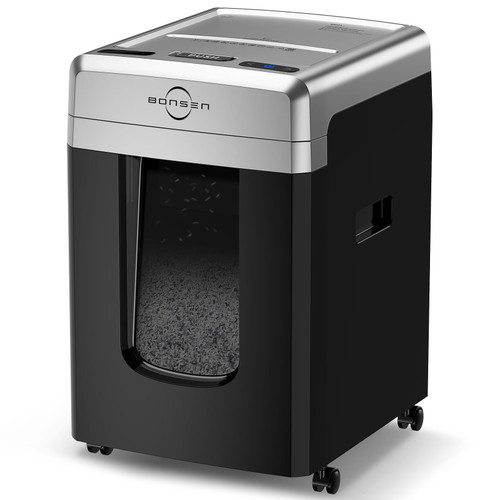


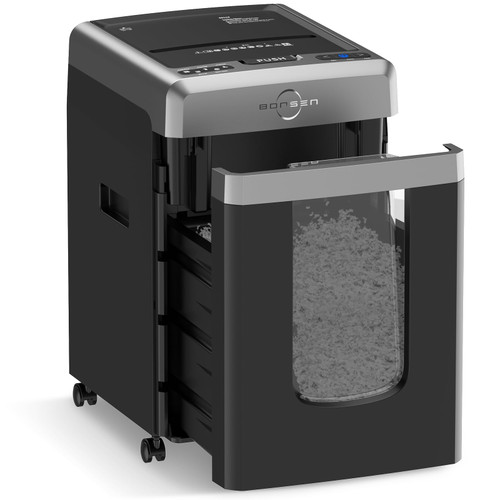
Brand: BONSEN
Color: Black&Sliver
Features:
- 300-Sheet Auto Feed: With both auto feed and manual shredding capabilities, BONSEN 2-in-1 paper shredder maximizes efficiency with a hands-free auto tray holding 300 sheets of letter-size paper
- 12-Sheet Manual Feed: The manual feed slot can shred 12 sheets paper, credit cards, staples, and clips, easily handling even heavy daily tasks
- 60-Minute Running Time: Engineered with an advanced cooling system, this heavy-duty shredder operates up to 60 mins in auto mode and 30 mins in manual, shreds bulk documents continuously without frequent cool-down interruptions
- P-4 High Security & Energy Saving: Micro-cut blades shred documents into tiny 5/32" x 15/32" particles for privacy protection; Features auto-sleep mode after 10 minutes of inactivity to save electricity and ensure safety
- Smart Indicators & Quiet Operation: LED indicators for feed error, bin full, door open, overload, and overheat; Ultra-quiet 58dB operation creates a peaceful environment for shared workspaces or small offices
- User-Friendly Design: Equipped with 4 universal casters for easy mobility anywhere; The large 8.1-gallon pull-out bin features a transparent window, allowing you to check fill levels more convenient, reducing the frequency of emptying
- Customer Support: BONSEN provides a 12-month professional customer service; Please refer to the user manual and troubleshooting guide before use